
How Pitchbox Is Organized: Projects & Campaigns
Pitchbox organises your outreach on two levels: Projects are top-level workspaces, and Campaigns sit inside them. This article explains what each one is, how campaigns and their workflow are set up, and how to manage your relationships with the built-in CRM.
Navigation
📁 What Is a Project?
A Project is a dedicated workspace for your outreach. Each Project has its own Inbox, Pipeline, Campaign Dashboard and settings, so its campaigns, users and email accounts are kept separate from the rest of your account. This makes it easier to stay organised as your outreach grows.
For example, if you work with multiple clients, create a separate Project for each one. All of that client's campaigns, users and contact history then stay in one place.
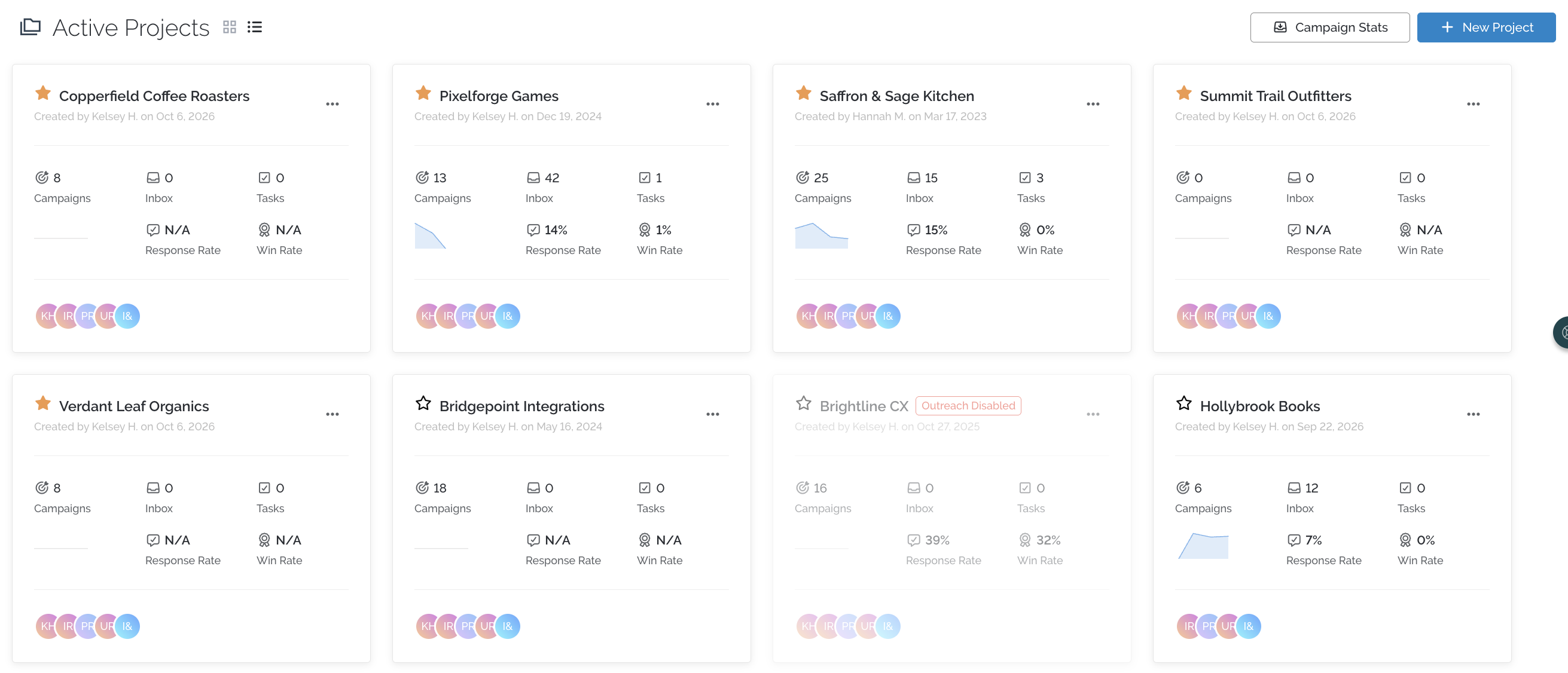
You can grant Users, Inspectors, Personalizers and Inspector & Personalizers Project Access to each project from the User Settings. Admins have access to all projects.
📧 What Is a Campaign?
Campaigns live inside a Project. Each campaign contains:
- The list of opportunities (contacts) you want to reach out to
- Your email templates and sequence
- Your Custom Fields
- Your outreach schedule
- Your AI Agent
You can organise campaigns by outreach strategy, topic, campaign type, or whatever structure suits your team.
The campaign workflow
Within a campaign, opportunities move through two steps:
- Inspect & Personalise: review each opportunity and tailor your outreach.
- Compose: finalise and approve emails before they're sent.
Campaign cards
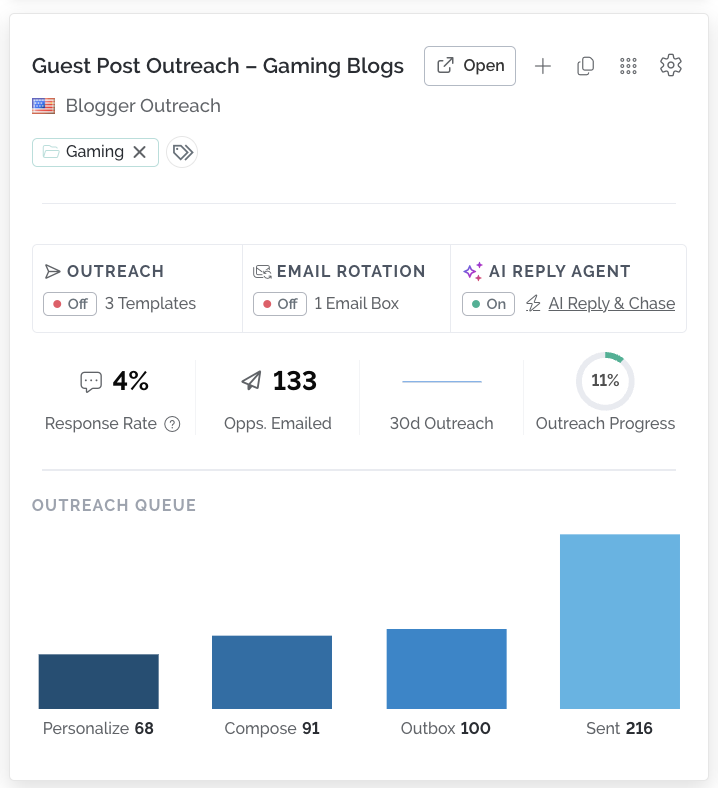
Each campaign appears as a card on its Project's Active Campaigns dashboard. The card shows the campaign name, response rate, number of saved templates, number of opportunities emailed, and how many opportunities are in each workflow stage.
To see more, hover over the flag in the top-left corner of the card. This shows the campaign's country, the user who created it, and the date and time it was created.
🤝 Managing Partners in the CRM
The CRM sits above your Projects and keeps your key relationships in one place across your whole account. Use the Partner Database to save websites you work with regularly, so you can reuse trusted link sources across campaigns and clients instead of searching through individual Projects.
From the CRM you can:
- Save partners: add websites manually, import them from a CSV, or click Save as Partner on any Opportunity Details page.
- Record pricing: store each partner's link types, prices and markup, with costs converted into your currency automatically.
- Group by company: organise partner websites under the company that owns them.
- Find the right partners: filter by category, niche or budget, then export them into a client Project or contact them directly from the CRM.
For a full walkthrough, see CRM Partners & Companies.
💬 Need more help? Email us at pitchbox@support.com or start a conversation with our team via the live chat.