
Understanding the Importance of an Email Signature
Pitchbox lets you add a unique email signature to each email account and insert it into any email template automatically. This article explains how signatures work in Pitchbox and why a clear, well-crafted signature makes your outreach more professional, easier to respond to, and more likely to reach the inbox.
Navigation
✍️ Adding an Email Signature
You can add a unique email signature for each email account. Once it's set up, insert it into any email template using the Email Signature personalization field, and the right signature is added automatically for whichever account sends the email.
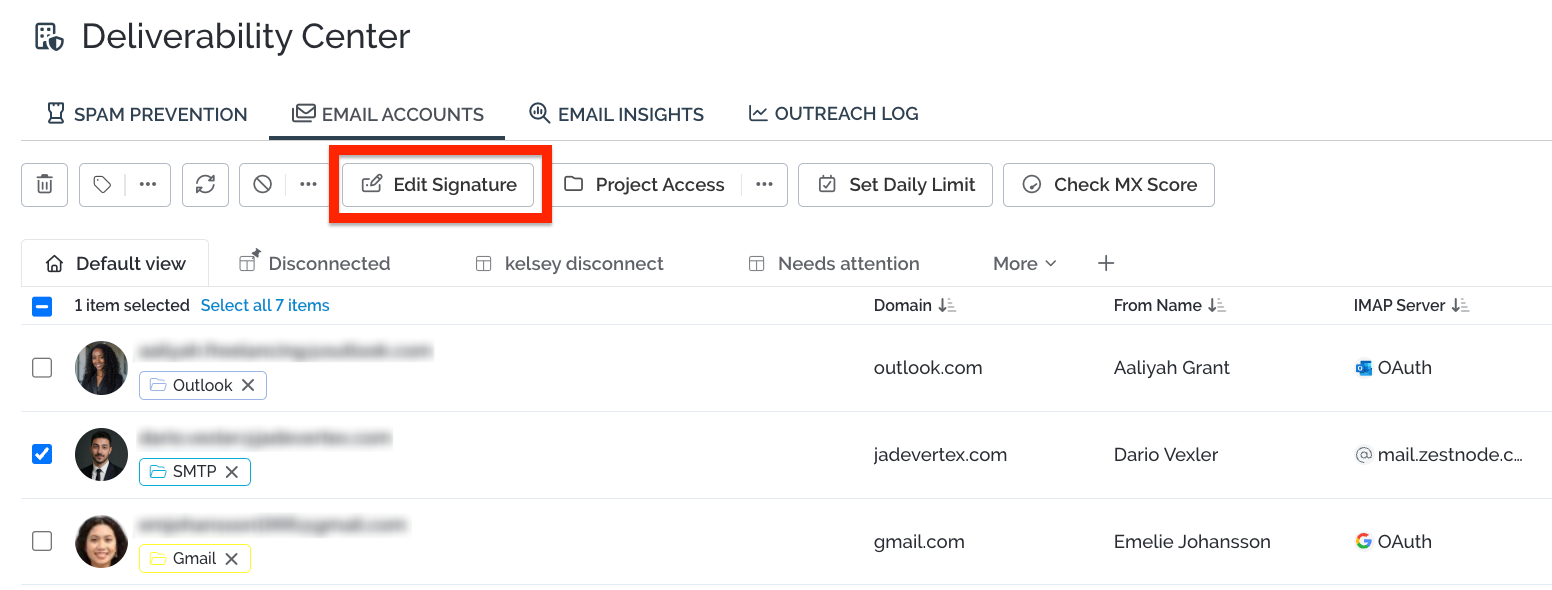
You can use a regular Email Signature for your first outreach emails, and a shorter email signature for follow ups. A full signature works best on the first email because that's when the recipient knows nothing about you. Your name, role, company, website and contact details all help establish that you're a real person from a real business. That builds the trust and legitimacy that make a cold email worth replying to, and it helps keep you out of the spam folder.
In short, the full signature does the heavy lifting of credibility up front, and the shorter one keeps follow-ups light, human and easy to respond to.
🌟 Benefits of an Email Signature
So why does your email signature matter? 🤔 A well-crafted, clear signature brings several benefits.
Professionalism and Legitimacy
An email signature helps establish a professional image, giving you a consistent way to represent yourself or your business in every email.
- It builds trust. A well-designed signature reassures recipients, especially in first-time or formal correspondence.
- It reinforces legitimacy. Recipients can see who you are and who you represent, which helps prevent your emails from being marked as spam.
Contact Information
An email signature gives recipients easy access to your contact details, without them needing to search through the email body. You might include:
- Your phone number
- Your website
- Social media links
- Your office address
With a consistent signature set up, you don't have to add your contact information manually every time you send an email. Pitchbox makes this quick and easy! ✨
Improving Email Deliverability
A professional signature and clear contact details both reassure recipients that they're talking to a real person, not a bot. That trust helps improve the deliverability of your emails.
In short, an email signature is a professional, practical and often overlooked part of email communication. It's an opportunity to reinforce your identity, share essential contact information, and help more of your outreach reach the inbox.
💬 Need more help? Email pitchbox@support.com or use the live chat and our team will be happy to help.