CRM Stats
You can view statistics of your CRM activity from the CRM Stats page.
The Stats page breaks down your total amount of Partners, Opportunities, Contacts (within a Partner) and Companies.

The graphs provide an overview of the number of new Partners and Companies. This feature allows you to set a specific timeframe, thereby enabling you to analyze the growth and development of your network over a chosen period.
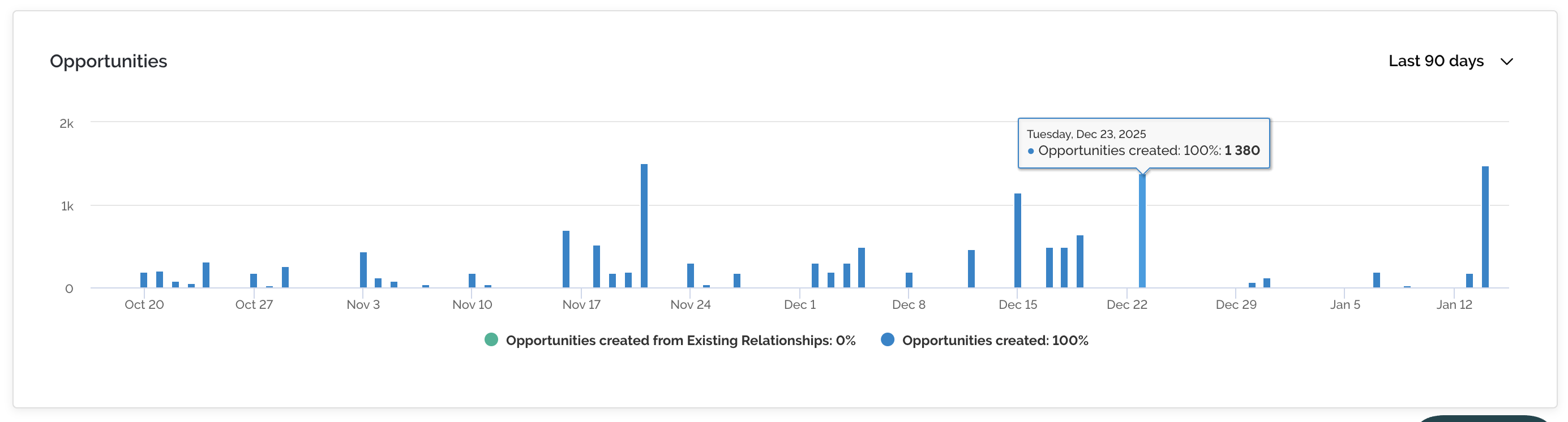
The bar chart at the bottom of the Stats page indicates how many opportunities have been created over a set timeframe.